
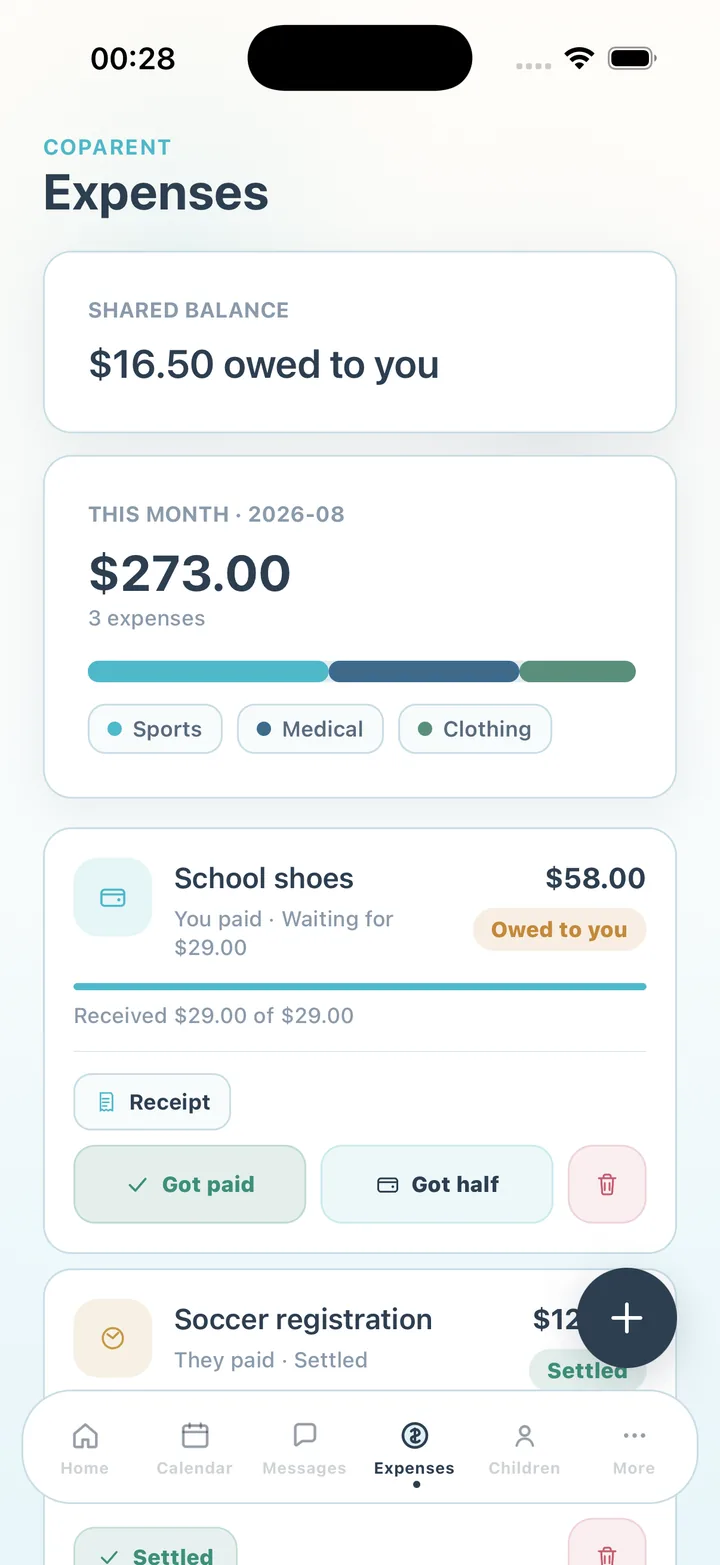
How a shared expense works
Log the cost — School shoes, $58.00 — choose a category and attach the receipt. CoParent splits it 50/50 and shows what the other parent owes. When they pay you back, mark it Got paid; if they pay part of it, mark Got half and the entry tracks what has been received so far. Settled entries stay in the history.
- Categories: medical, education, food, sports, clothing, transportation, activities, insurance or custom
- 50/50 split with your share and the other parent's share shown before you save
- Receipt image attached to the entry
- Partial payments: received so far against the amount owed
- Monthly recurring costs set once, such as a music lesson or insurance premium
- Status on every entry: pending, paid or overdue
The balance both parents can see
The Expenses screen opens with the shared balance — who owes whom, and how much — followed by this month's total broken down by category. Because both parents see the same number, the conversation is about the number and not about whether the cost was real. Pending reimbursements also appear on the Home screen so they are not forgotten.
Receipts and records
Receipts live on the entry, not in a camera roll. Premium adds attachments without limits, unlimited history and an export of the chronological record — expenses alongside messages, calendar, swaps and attendance — as a CSV or PDF for your own records. The export is not a legal document, and CoParent does not give legal or financial advice; child support is a legal matter for you, the other parent and, where needed, a qualified attorney.
Free for both parents
Expense tracking is part of the free plan for both parents. Premium adds unlimited history, exports and attachments.
Frequently asked questions
Can we split costs unevenly, like 70/30?
Expenses are split 50/50 in the current version. For a different arrangement, log the amount the other parent owes as the shared portion and note the arrangement in the entry.
Does CoParent move money?
No. It records what was spent and what was reimbursed. Payments happen however you already pay each other.
Is this a child support calculator?
No. CoParent tracks shared day-to-day costs. Child support is a legal matter; speak with a qualified attorney.
CoParent is a coordination tool for parents. It is not legal advice and does not replace a lawyer, mediator or court process.