Start free
$0 for both parents
Free
- Shared calendar, swaps and attendance
- Family messages and expense tracking
- Profiles for up to two children
- Activity preview on screen
 CoParent
Two households, one record: whose day it is, what was agreed, what was spent and what was said. When memories disagree six months later, the app has the dates.
How it works
Co-parenting is not a productivity problem. It is a communication problem with a schedule attached.
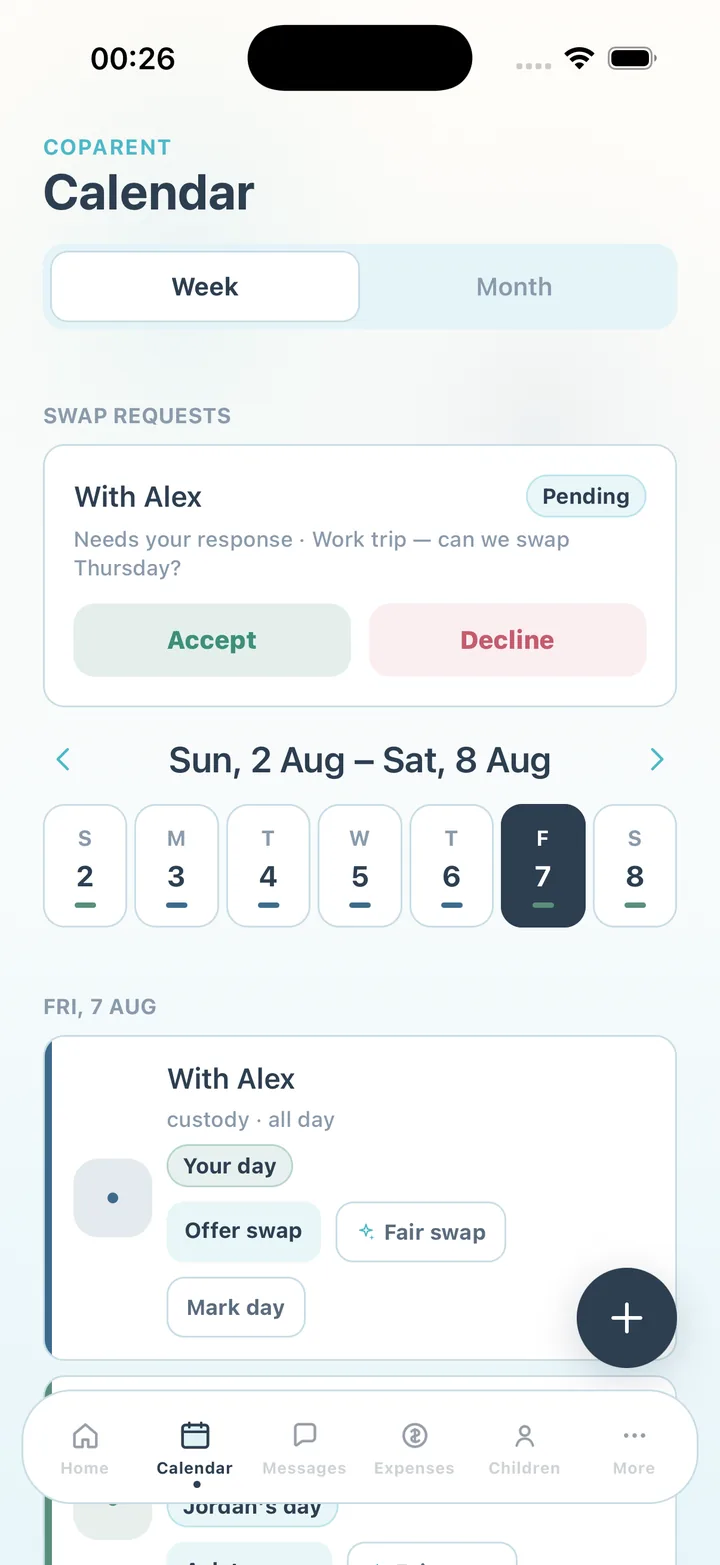
Parenting time, exchanges, school runs and medical appointments visible to both parents. Request a swap, accept or decline it in one tap, and note attendance when a handover does not go to plan.
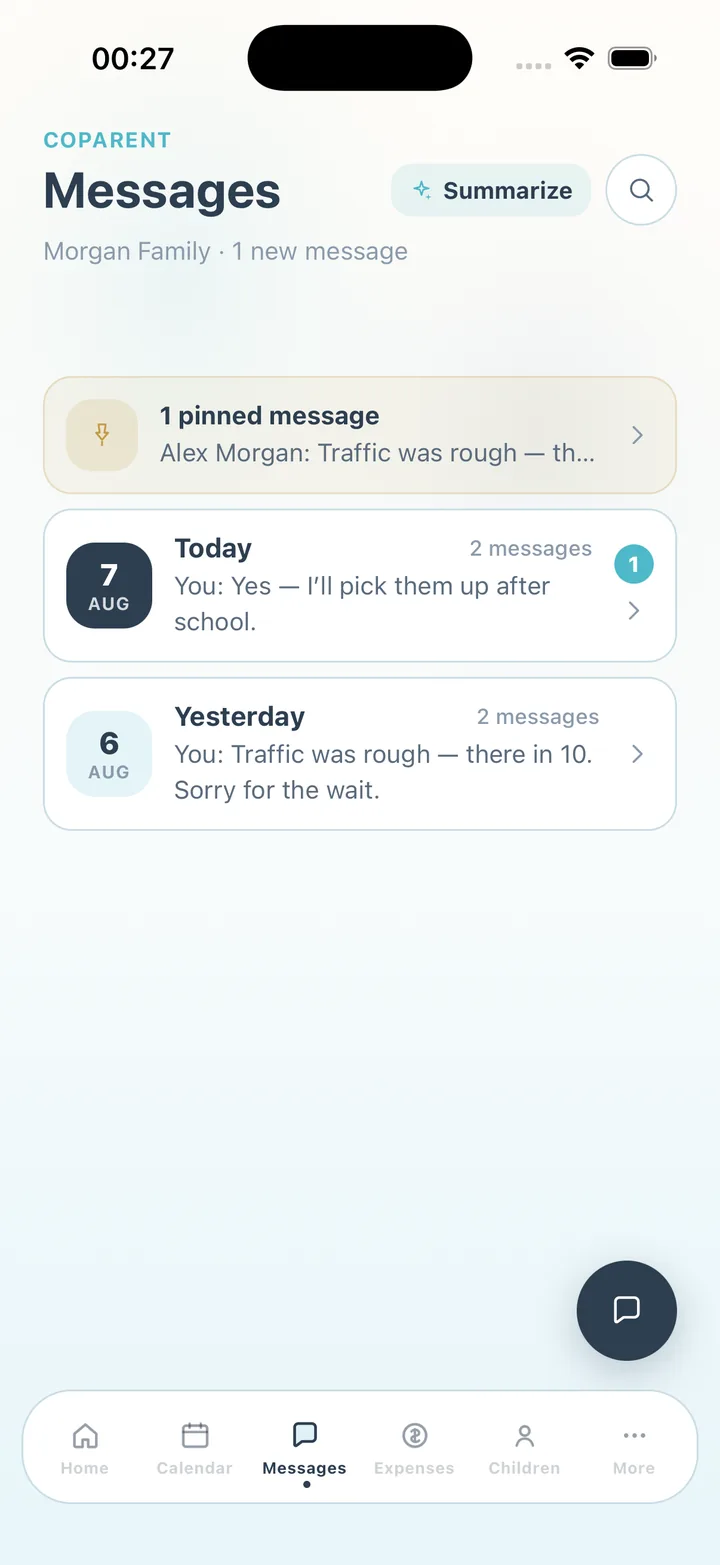
Messages sit in one family thread instead of scattered texts. With Premium, an optional rewrite suggests a cooler version before you send — the same request, minus the sentence you would regret. Pin what matters, search the rest.
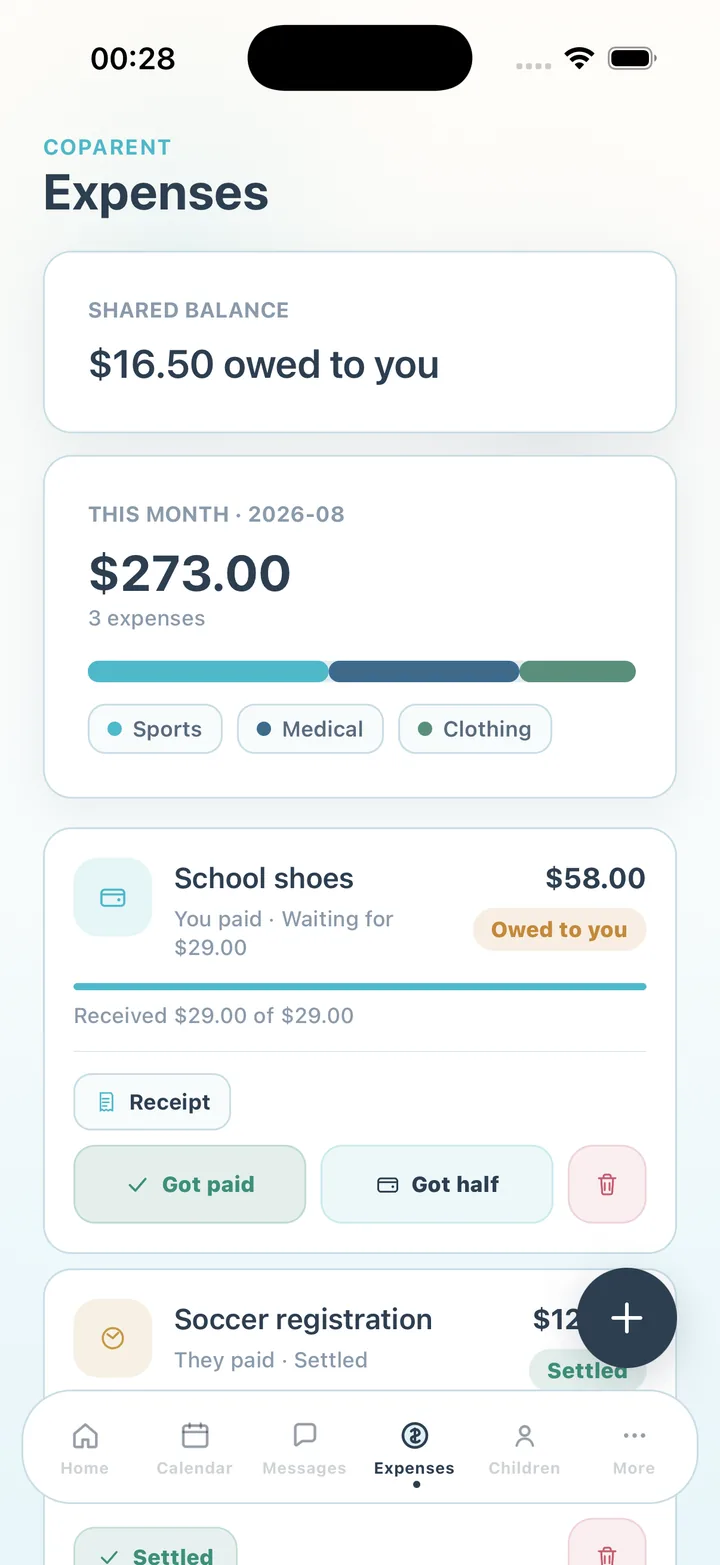
Log a cost, split it, attach the receipt, mark it settled. The balance is a number both parents can see, so the conversation is about the number and not about whether it happened.
In the app
Capabilities
Everything both parents need to stay organized — in one family space.
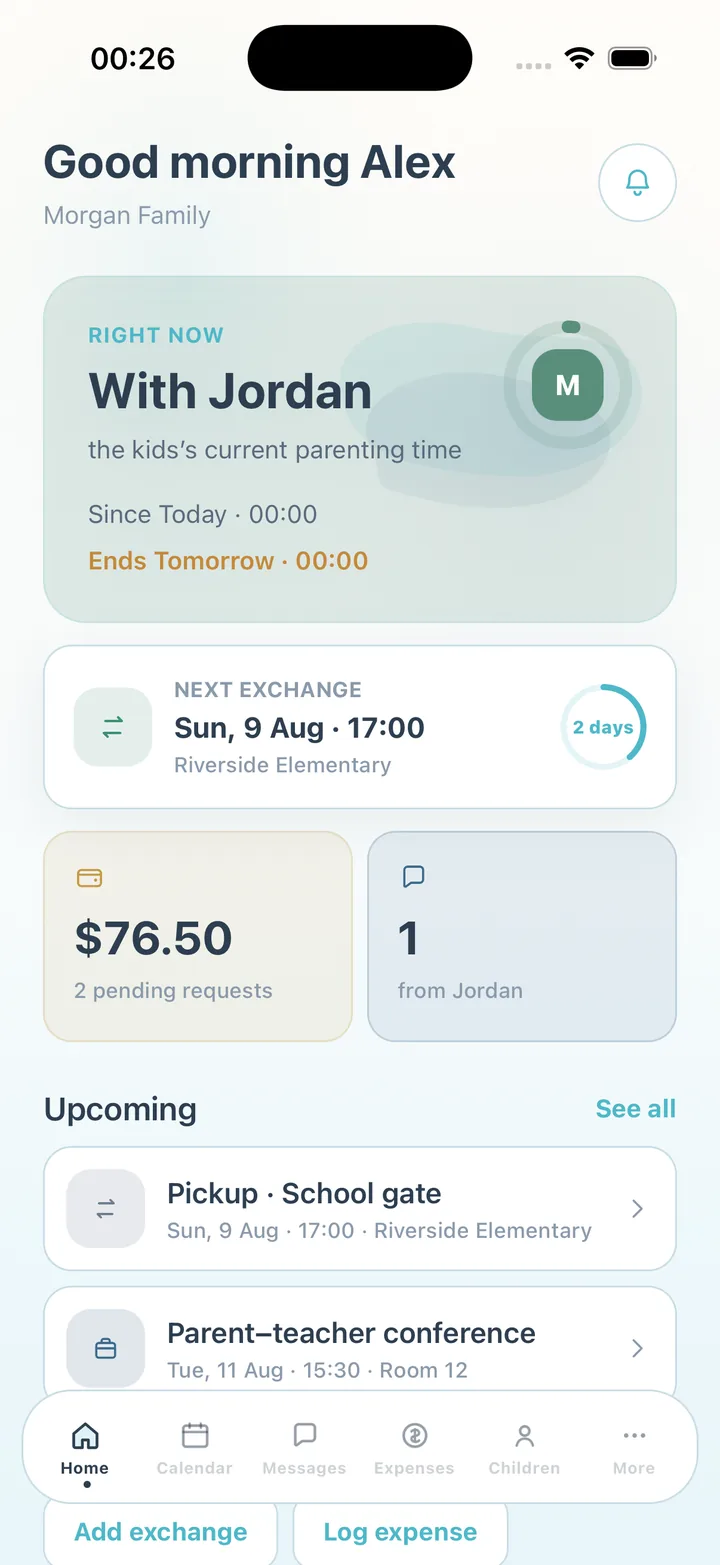
Right now, the next exchange with a countdown, pending reimbursements and unread messages — the answer to "what do I need to know today?"
Week and month views. Colour-coded parenting time, exchanges, school, medical and sports events, with repeat weeks for regular blocks.
Request or offer a swap on any custody day, get a fair-swap suggestion with Premium, and mark a day on time, late or missed.
One thread with read receipts, replies, attachments, pinned messages and search. Rewrite politely before sending and summarize a long thread, both with Premium.
Categories, a 50/50 split, partial payments, monthly recurring costs, receipts attached to the entry and a running balance.
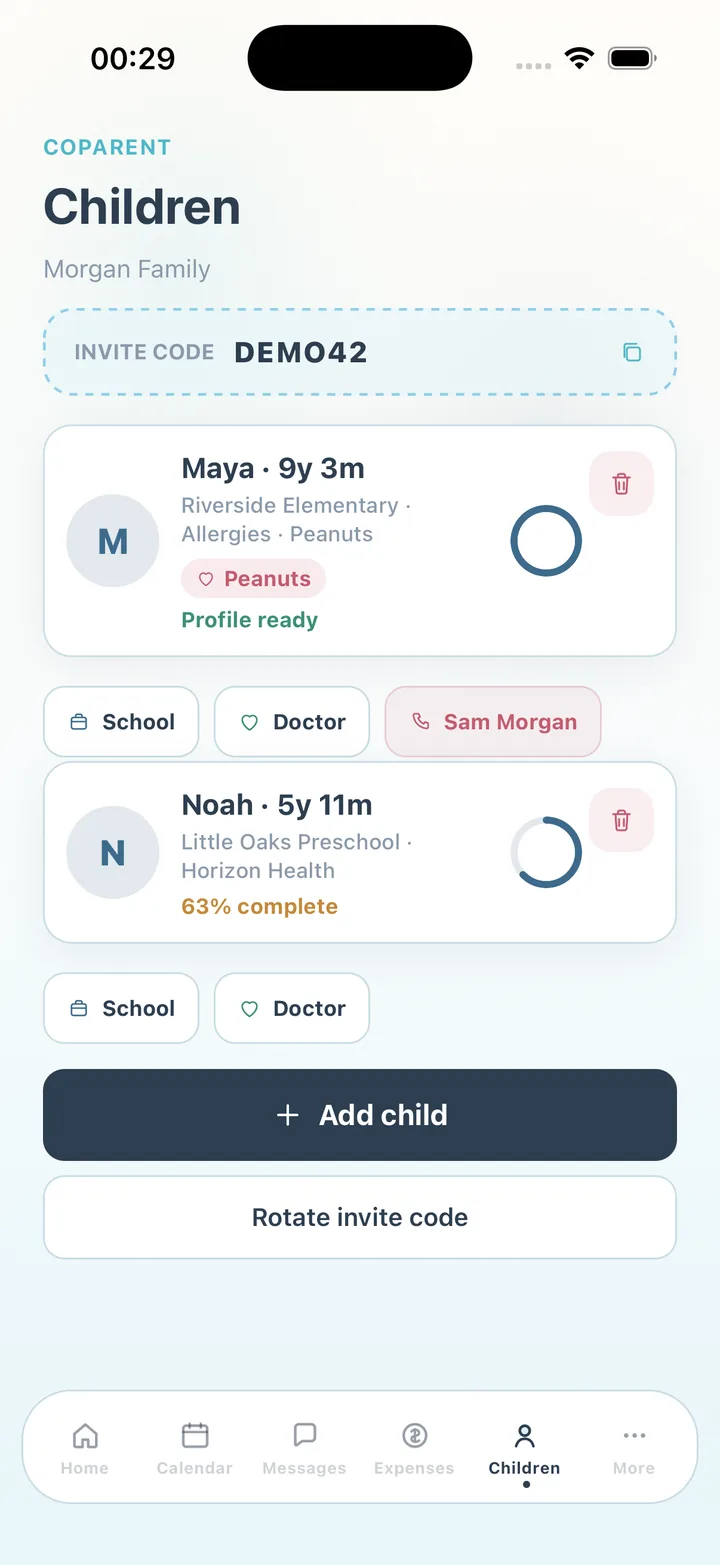
School, teachers, doctors, dentist, allergies, medications, blood type, insurance, sizes, emergency contacts and documents — available to both parents.
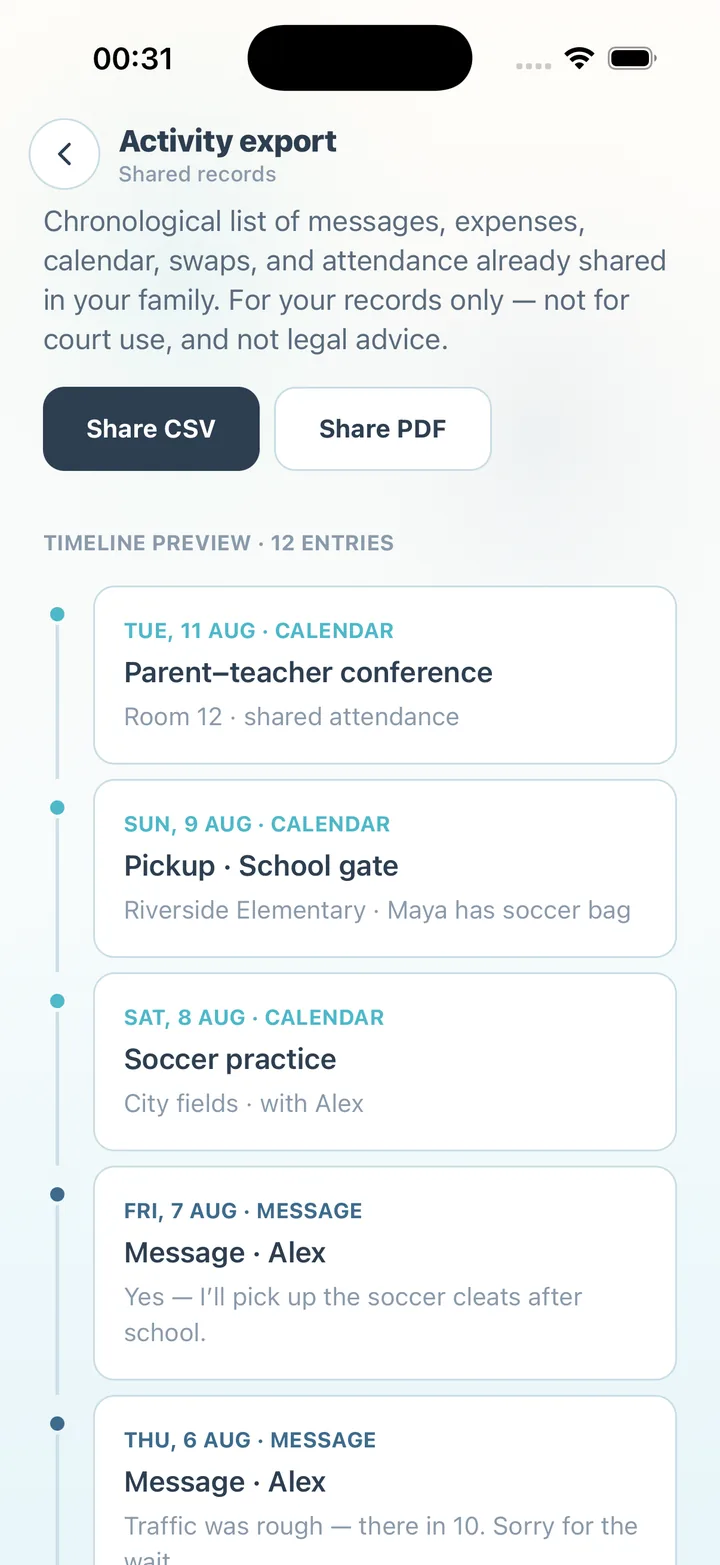
A chronological CSV or PDF of what has already been shared — messages, expenses, calendar, swaps and attendance. For your own records; not a legal document.
CoParent assumes the other person is not your teammate. It keeps a neutral record and tries to lower the temperature rather than raise it.
Use cases
How separated parents use CoParent for the schedule, the money and the messages.
Pricing
No ads. Premium adds unlimited history, more child profiles, exports, attachments and the AI features — the calmer rewrite, thread summaries and fair-swap suggestions. Subscriptions renew automatically unless canceled at least 24 hours before the end of the current period.
Start free
Free
In-app subscription
Premium
FAQ
CoParent is a co-parenting app for separated or divorced parents. It gives two households one shared record: a custody calendar with swap requests and attendance notes, one family message thread, shared child expenses with receipts, child profiles, and an export of what has been shared. Both parents can use the core app free on iPhone and Android. CoParent is a coordination tool, not legal advice.
Yes. The calendar shows colour-coded parenting time, exchanges, school runs and medical appointments in week or month view. Custody blocks can repeat for several weeks, and either parent can request or offer a swap that the other accepts or declines in one tap.
Messages live in one family thread with read receipts, replies, pinned messages and search, so nothing is scattered across texts — that part is free for both parents. With Premium, an optional rewrite suggests a calmer version of the same request before you send, and you can summarize a long thread in one tap.
Log the cost, choose a category, attach the receipt and the app splits it 50/50. Mark it paid, half paid or settled; the running balance shows who owes what. Monthly recurring costs can be set once.
The export is a chronological CSV or PDF of what has already been shared in your family — messages, expenses, calendar, swaps and attendance — for your own records. It is not a legal document and CoParent does not give legal advice. For court questions, speak with a qualified attorney.
Both parents can use CoParent free: the shared calendar, swap requests, attendance, family messages, expenses and profiles for up to two children. Premium adds unlimited history, more child profiles, CSV and PDF exports, attachments and the AI features — the calmer rewrite, thread summaries and fair-swap suggestions. Premium is a monthly or yearly subscription that renews automatically unless canceled at least 24 hours before the end of the current period; manage it in your Apple ID or Google Play settings.
CoParent works best when both parents join the same family with the invite code, so the calendar, messages and expenses are one shared record. You can start alone and invite the other parent when you are ready.
Trust
CoParent helps you coordinate schedules, messages and expenses. Activity exports are for your personal records only — not for court use, not legal advice, and CoParent is not a law firm. No ads, no behavioral advertising, and child details you enter are treated as sensitive family information.
Download CoParent and invite the other parent when you are ready. Free for both parents.