
What a shared calendar does well
A shared calendar is familiar and can be enough for a stable parenting schedule. Google Calendar supports sharing with different permission levels, and recurring events can represent a weekly pattern. Check the account and sharing settings for the calendar service you use.
Where it stops
A general calendar records events. It does not by itself turn a proposed custody swap into an accepted or declined request, track exchange attendance or maintain a child-expense ledger. Those workflows need another tool or an agreed manual process.
Editing access depends on the permissions the calendar owner grants. In Google Calendar, someone may be able to view event details, edit events or manage sharing; it is not accurate to assume that every person with access can silently change everything. The difference to evaluate is the parenting workflow, not whether shared calendars can control access.
- No built-in custody-swap workflow with pending, accepted and declined status
- No attendance record for late or missed exchanges
- No shared expenses, receipts or balance
- No child profiles for school, medical and emergency details
- Messages happen in a different app, with no link to the day they are about
- No chronological export of what was agreed, spent and said
What CoParent adds
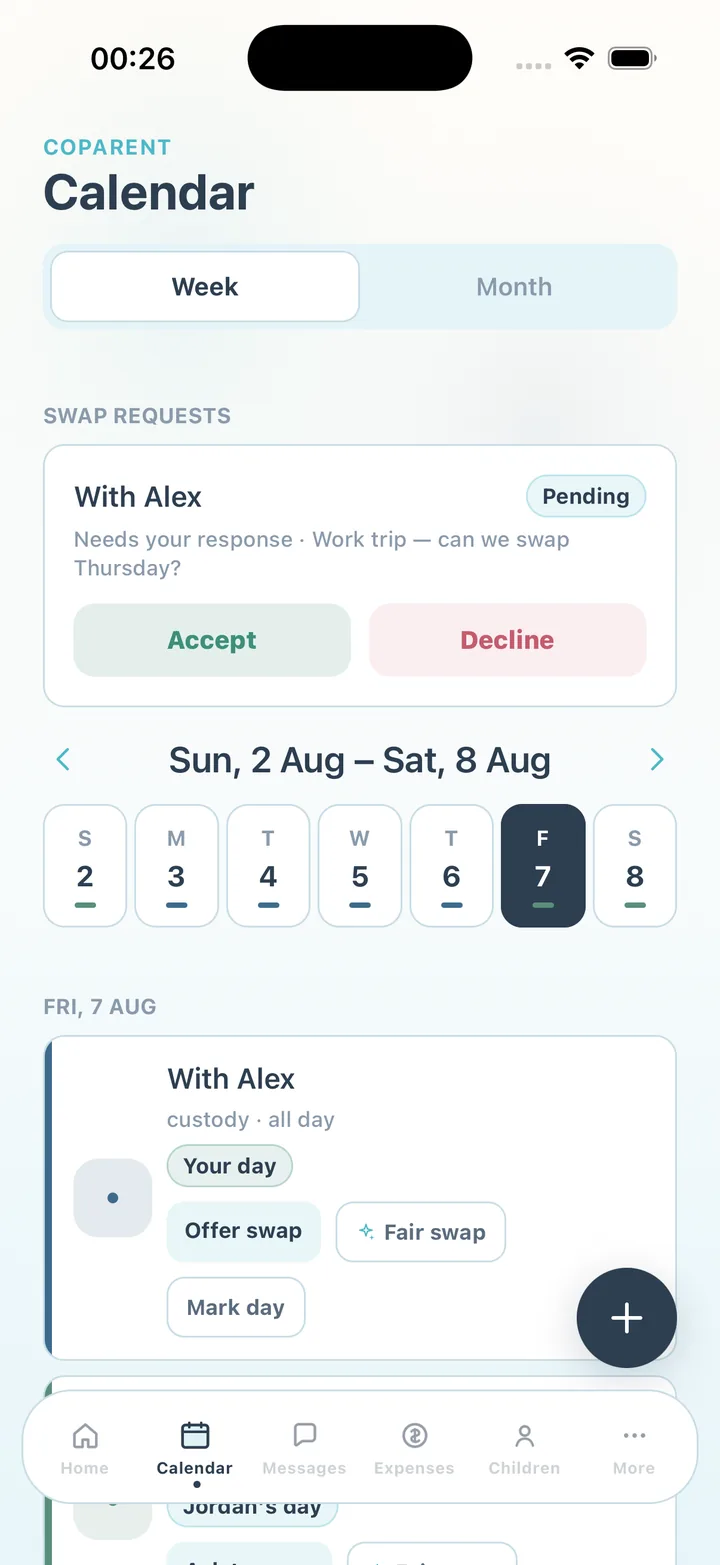
CoParent starts with the same idea — one calendar both parents see — and builds the rest of the record around it. Parenting time is colour-coded per parent. A schedule change is a swap request with a status. Each exchange can be marked on time, late or missed. Expenses are logged, split and settled beside the calendar, and the family thread adds an optional calmer rewrite before you send on Premium.
- Custody, exchange, school, medical and sports event types with weekly repeat
- Swap requests answered in one tap, plus fair-swap suggestions on Premium
- Attendance: on time, late with minutes, missed
- Shared expenses with receipts, partial payments and a running balance
- One profile per child with school, doctors, medications, insurance and emergency contacts
- One family thread with pinning and search, plus summaries and a calmer rewrite on Premium
- Chronological CSV or PDF export of shared activity for your own records (Premium)
Which one should you use?
Use a shared calendar when both of you communicate easily and the schedule is stable. Use CoParent when disagreements happen, when you want a record you can check later, or when the money and the messages need to live beside the schedule. Some parents keep both: the family calendar for birthdays and school holidays, CoParent for the custody record.
Neither tool is legal advice. CoParent's export is for your own records and is not a legal document; for anything about your custody agreement, speak with a qualified attorney.
Frequently asked questions
Can CoParent import my existing shared calendar?
Not in the current version. Custody blocks and exchanges are entered in CoParent so that swaps and attendance can attach to them.
Does CoParent sync back to Google or Apple Calendar?
No. The custody calendar lives inside the app so both parents see one record with swaps and attendance.
Is CoParent free like a shared calendar?
Both parents can use the calendar, swaps, attendance, messages and expenses free. Premium adds CSV/PDF exports, additional child profiles and optional AI assistance.
Sources and review dates
CoParent is a coordination tool for parents. It is not legal advice and does not replace a lawyer, mediator or court process.